Altered File Naming via QR Code
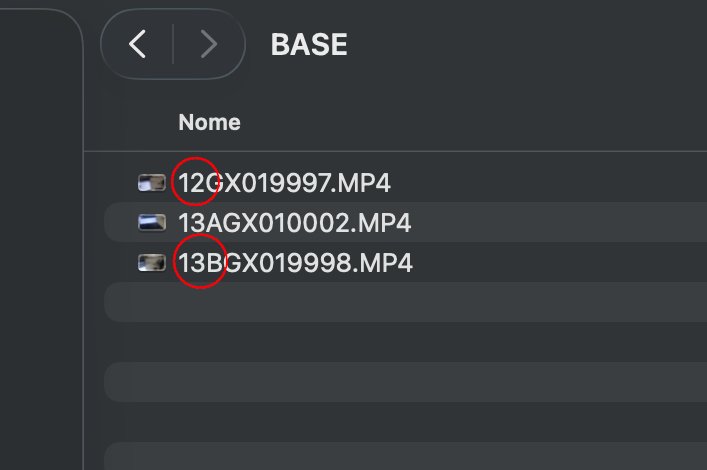
Typically, GoPro assigns standard filenames like GH013607.MP4 to files. This might be fine if you own just one camera, but when using multiple GoPros simultaneously, it becomes very difficult to distinguish which camera the clips came from. Recently, at the end of a dive, I even had the misfortune of finding the exact same numbering on files from my GoPro 12 and GoPro 13: a coincidence that significantly complicated file archiving.
Using GoPro Labs firmware allows this issue to be resolved: customizing source filenames significantly simplifies both archiving and post-production.
The GoPro Hacks section of this website explains in detail how to unlock the camera’s full potential through revolutionary features. A guide is available on installing the GoPro Labs firmware and preparing QR Codes to push the device beyond its limits: optimized underwater stabilization, bitrate control, and color management. A true technical laboratory for learning how to transform technique into art.
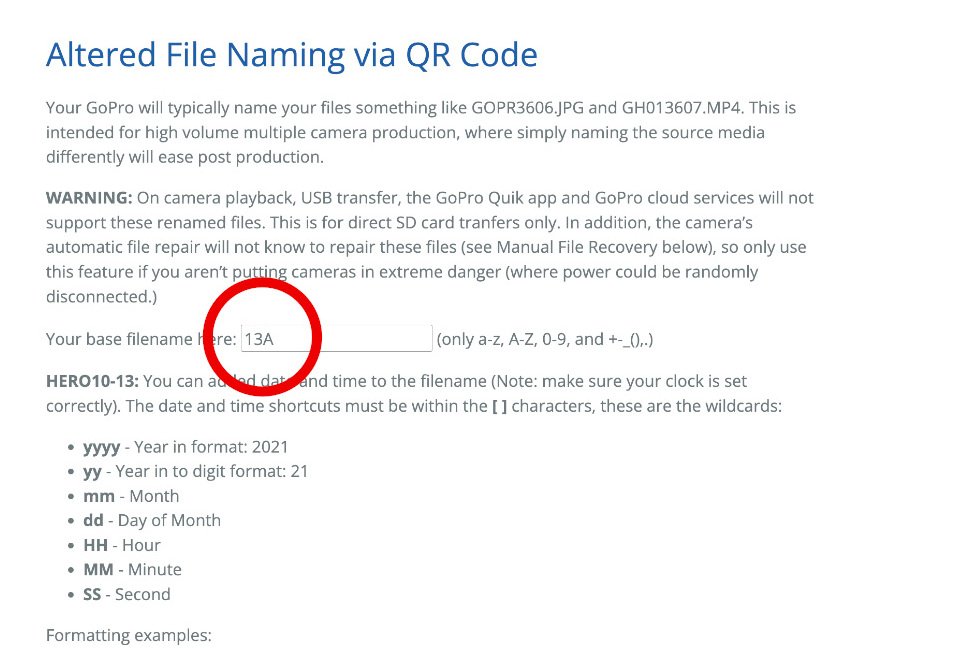
To make this change, for the sake of simplicity, I recommend using this link directly and doing it via the GoPro website.
From there, in the first fillable field, in addition to adding a prefix to the filename (for example, 13A and 13B, as I did), you can also include the date and time. The shortcuts for date and time must be enclosed within square brackets [ ].
In that case, however, you must always ensure that the camera’s clock is set correctly—something I often forget to do. For this reason, I preferred to simply insert an identifier that tells me which GoPro was used.
It is also important to check the box “Make this name change permanent”. This change can still be reverted by setting the basename back to “nothing”.
WARNING: File playback directly from the GoPro screen, USB transfer, the GoPro Quik app, and GoPro cloud services will not support these renamed files. This feature is intended exclusively for direct transfers from the SD card. Additionally, the camera’s automatic file repair system will not be able to recognize and repair these files (although you can still use Manual File Recovery, as explained on the same page).